




About Blocky Cart Ride
A cart ride obby with 30 stages
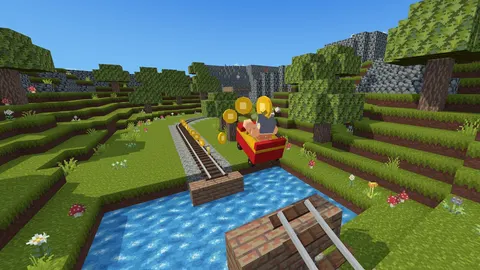
In a cart ride obby the track is the obstacle course. Blocky Cart Ride puts your rider in a cart at the first station and sends it down 3 km of rails split into 30 stages. Every stage ends at a station that works like a checkpoint, so a crash only sends you back to the start of that stage.
You control the speed. Go faster on the straights, brake before a sharp turn marked with a SLOW sign, and keep enough speed to clear a gap. Take a curve too fast and the cart tips off the rails.
Loops, jumps and switches
- Loops and drops: chain lifts pull you up, then the track drops away and loops around like a roller coaster. Too slow and you fall out of the loop.
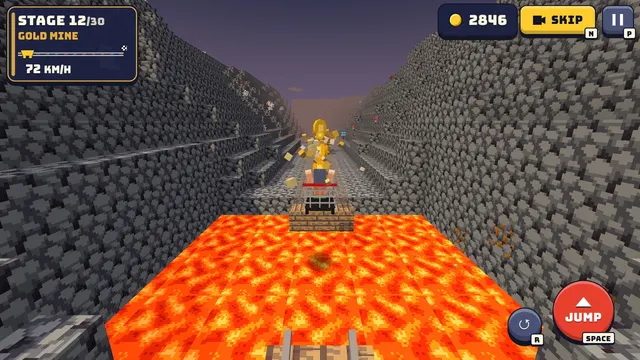
- Broken rails and kickers: jump over gaps, pits of lava and water, and fly off kicker ramps.
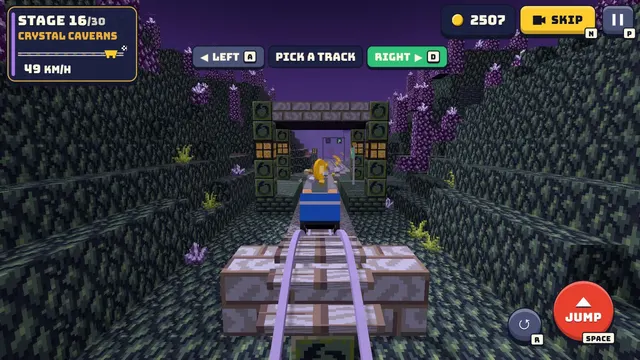
- Track switches: at a fork, pick the left or right track. One of them is broken further on.
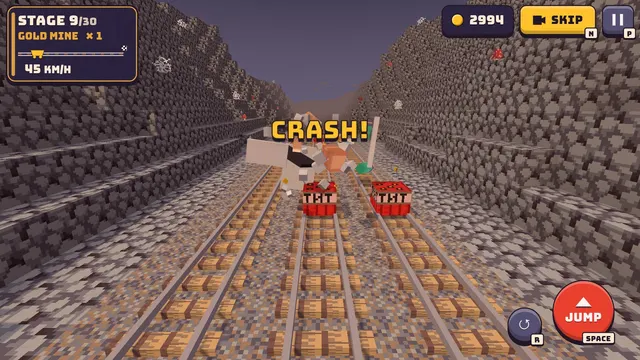
- Three lanes: hop between parallel tracks to dodge TNT, rocks, hay bales and barricades.
- Traps: crumbling rails, blinking blocks, crushers, crossing carts, swinging weights, geysers, spinners, boost pads and icy rails.
Five blocky worlds
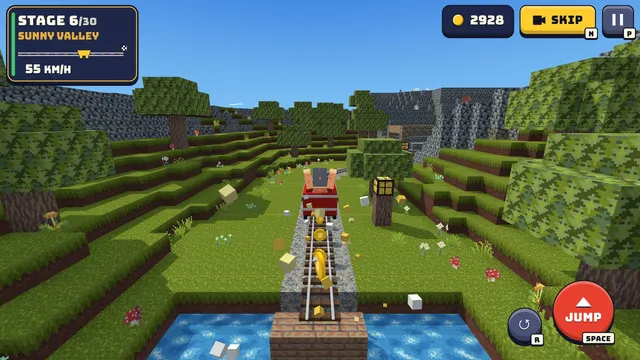
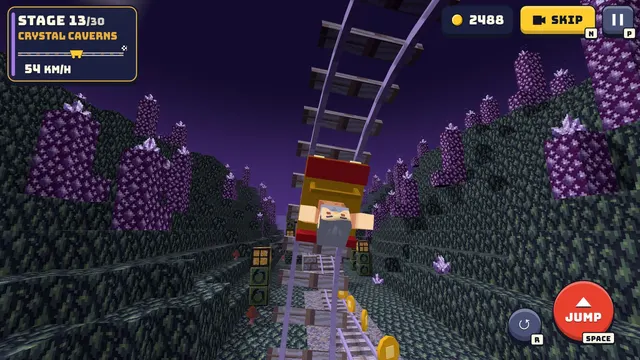
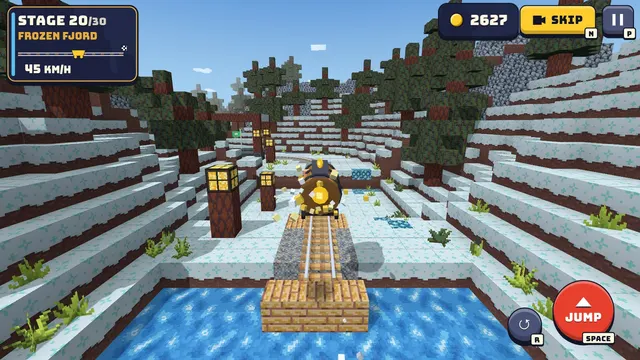
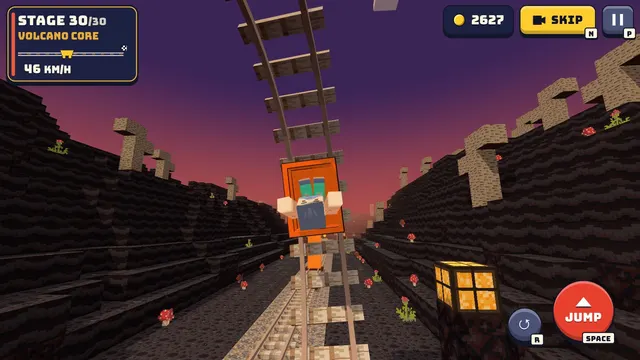
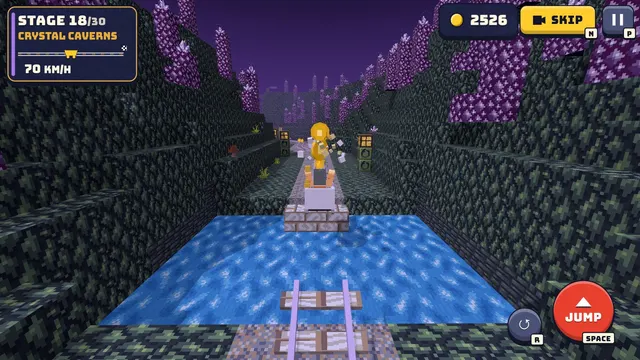
Ride through Sunny Valley, the Gold Mine, the purple Crystal Caverns, the snowy Frozen Fjord and the lava of Volcano Core. Each world has six stages and gets a little harder than the one before.
Carts and riders
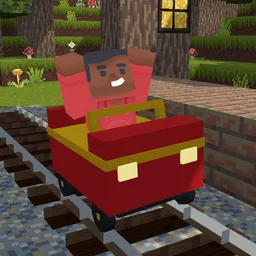
Pick up coins along the track and spend them in the Depot. There are 10 carts, from the Mine Cart and the Red Coaster to the Bath Tub, the Shopping Cart, the TNT Cart, the Ice Sled and the Gold Cart, and 18 riders, from the Lumberjack and the Skater to the Pirate and the Ninja. You can also try a locked cart for three stages before you buy it.
Stuck on a stage?
After a few crashes the game offers to skip the stage. If you crash far into a stage, you can continue from a few seconds before the crash instead of going back to the station. Both are optional and use a short video.
How to play
- Press RIDE (Enter) to start from the first station.
- Hold W to go faster and S to brake. On a phone, push the left thumb joystick up to go faster and down to brake.
- Press Space or the JUMP button to jump over gaps, TNT and other blocks on the rails.
- At a track switch, press A or D (or tap LEFT or RIGHT) to pick a track. In lane sections, A and D hop the cart between lanes; on a phone, flick the joystick left or right.
- Slow down for sharp turns and keep your speed up for loops and long jumps.
- Reach the station at the end of each stage. If you crash, you start again from the last station.
- Spend your coins on new carts and riders in the Depot (K), and replay any stage you have reached from Stages (L).
Controls
Tips & tricks
- Watch for the SLOW signs: brake before the turn, not in it.
- Hold W before a loop. A loop needs speed all the way around.
- Jump just before the end of a broken rail. The cart keeps its speed in the air.
- At a switch, look down both tracks: the broken one has a gap further on.
- On ice, brake early. The cart slides and brakes much more slowly there.
- Drag the mouse, or use Q and E, to look around before a hard section.
- Collect the coins on the risky lines: they pay for the Gold Cart sooner.
Screenshots
FAQ
Is Blocky Cart Ride free to play?
Yes. Blocky Cart Ride is free to play in your browser on SalutGames, with no download and no account needed.
What is a cart ride obby?
A cart ride obby is an obstacle course you ride in a cart on rails. Instead of jumping from platform to platform, you control the cart's speed, jump over gaps and pick the right track to reach each station.
How many stages are there?
There are 30 stages in 5 worlds: Sunny Valley, Gold Mine, Crystal Caverns, Frozen Fjord and Volcano Core.
How do I switch tracks?
When a switch comes up, press A for the left track or D for the right one, or tap LEFT or RIGHT on a phone. The same keys hop between lanes in the three-lane sections.
What happens when I crash?
You go back to the station at the start of the stage. If you crash far into a stage, you can choose to continue from a few seconds before the crash.
How do I unlock new carts?
Collect coins on the track and buy carts and riders in the Depot. There are 10 carts and 18 riders, and you can try a locked cart for three stages.
Can I play on a Chromebook or a phone?
Yes. Use the keyboard on a PC or a Chromebook, or the thumb joystick and the JUMP button on a phone held sideways.
Does the game save my progress?
Yes. Your stations, coins, carts, riders and settings are saved automatically in this browser on this device.