Input Lag Explained: Why Some Games Feel Instant and Others Feel Heavy

In a study presented at the CHI conference in 2015, Jonathan Deber and colleagues measured how much delay people notice on a touchscreen. When dragging an object with a finger, the average participant noticed lag at about 11 milliseconds. When tapping, the average threshold was about 69 milliseconds.
A tap is more forgiving than a drag, because there is no moving object to fall behind the finger. Timing games are the exception. A delay too small to notice can still be large enough to push a well-timed press out of a perfect window, and that is usually what "heavy" controls feel like: nothing looks slow, but the game keeps grading presses late.
Where the milliseconds go
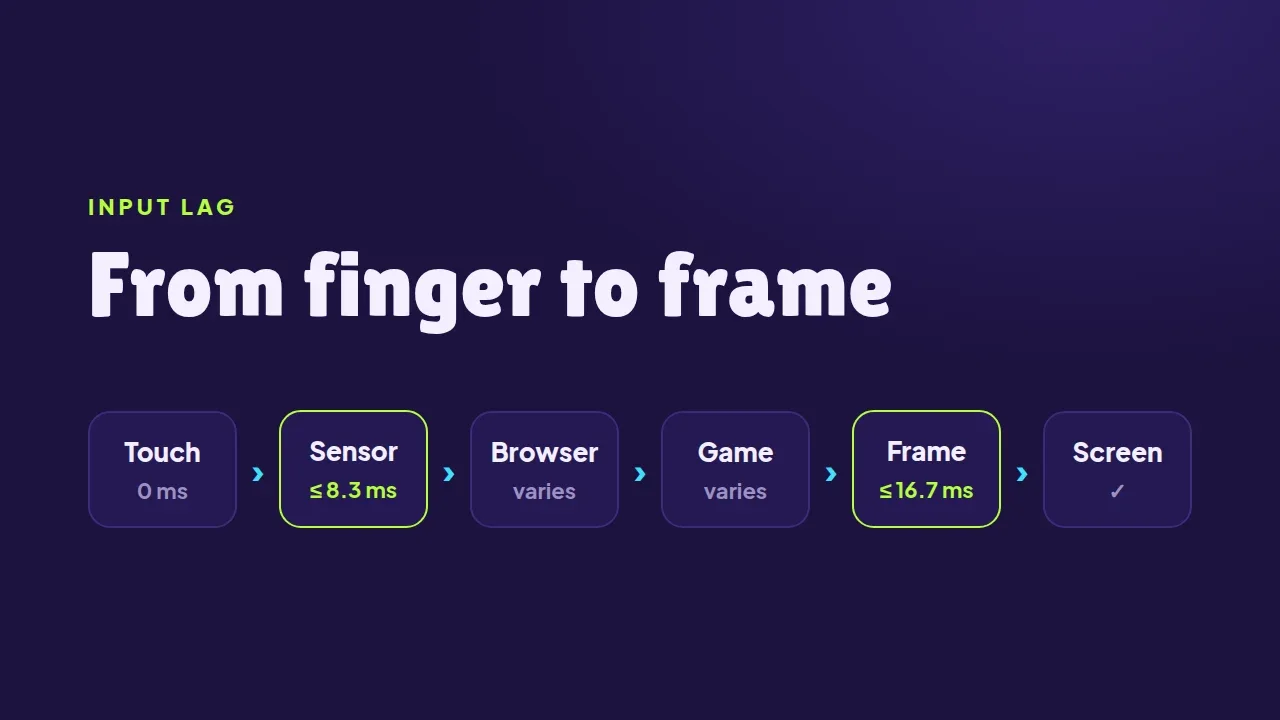
Between a finger touching the glass and the screen changing, a tap passes through several stages, and each one can add a wait.
| Stage | Longest wait |
|---|---|
| Touch sensor, 120 Hz | 8.3 ms |
| Browser delivers the tap | depends on the page |
| Next frame, 60 Hz | 16.7 ms |
| Next frame, 120 Hz | 8.3 ms |
| Each missed frame, 60 Hz | +16.7 ms |
The 120 Hz touch figure is the sample rate Ink & Switch reported for the iPhone X and iPad Pro, which means a new touch reading every 8.3 ms. The frame figures are simple division: a 60 Hz screen shows a new frame every 16.7 ms, a 120 Hz screen every 8.3 ms.
Added up, the whole chain can be short or very long. Ink & Switch measured real devices and found that opening a settings tab on an iPad Pro took about 90 ms from touch to screen change, while toggling a setting on a Samsung S3 took about 330 ms.
The 300 ms that used to be everywhere
For years, mobile browsers added a deliberate delay of 300 to 350 ms after every tap. The browser was waiting to see whether the tap was the first half of a double-tap zoom, and only then fired the click. Chrome 32 removed the wait in 2014 for pages built for phones, meaning pages that declare width=device-width in their viewport tag, and a similar fix reached iOS 9.3 in March 2016.
There is a second, quieter delay inside every click. A click event only fires once the finger lifts, so a game that waits for clicks responds to the end of a tap rather than its start. The pointerdown event fires at the moment of contact.
Browsers also treat presses differently from movement. Since Chrome 60, continuous events such as touchmove, pointermove and mousemove are held back and delivered just before the next animation frame, because there is no point redrawing more often than the screen can show. Events that mark the start or end of a press, such as touchstart, mousedown and keydown, are still sent right away.
What the SalutGames games do
The live files of all 13 games on SalutGames were checked for this post, and they make the same choices:
- They react on first contact. Every game listens for
pointerdown, so a tap counts the moment the finger touches the screen, not when it lifts. - No double-tap wait. Every game page declares
width=device-widthand turns off pinch zoom. - No scroll or zoom gestures in the way. Every game sets
touch-action: none, which tells the browser that touches on the game belong to the game.
Inside the games, the press is handled where it arrives. In Last-Second Landing the boost is graded inside the same piece of code that receives the pointerdown, and in Skyhook the release happens there too, rather than being queued for a later frame.
Rondo goes one step further. It reads the clock when a tap or key press arrives and judges it as if it had landed 40 ms earlier, to cancel part of the delay between the touch and the event. Its perfect window, once a match warms up, is 46 ms either side of the ideal moment. Without the correction, a press made exactly on time would be graded 40 ms late, right at the edge of perfect, even though 40 ms is well under the 69 ms most people notice when tapping.
Why some games still feel heavy
A game can do everything above and still feel slow, because input lag is not only about events. A few common causes, all within the game's control:
- Missed frames. If a frame takes longer than 16.7 ms to prepare on a 60 Hz screen, the result waits for the following frame, which adds another 16.7 ms.
- Wind-up animations. When a jump starts with a crouch, the game has already registered the press, but the player sees nothing leave the ground yet.
- Grading on release. Responding to the end of a tap adds the whole time the finger spent on the glass.
On the player's side, one setting makes a measurable difference: if a phone or laptop offers a 120 Hz mode, the longest wait for the next frame drops from 16.7 ms to 8.3 ms.
Last-Second Landing below grades every boost the moment the tap arrives:

Sources
- Jonathan Deber, Ricardo Jota, Clifton Forlines and Daniel Wigdor, How Much Faster is Fast Enough? User Perception of Latency & Latency Improvements in Direct and Indirect Touch, CHI 2015
- Ink & Switch, Slow Software
- Jake Archibald, 300ms tap delay, gone away, Chrome for Developers
- Dave Tapuska, Aligned input events, Chrome for Developers
- SalutGames: live game files checked on 14 October 2026, and the source code of Rondo, Skyhook and Last-Second Landing