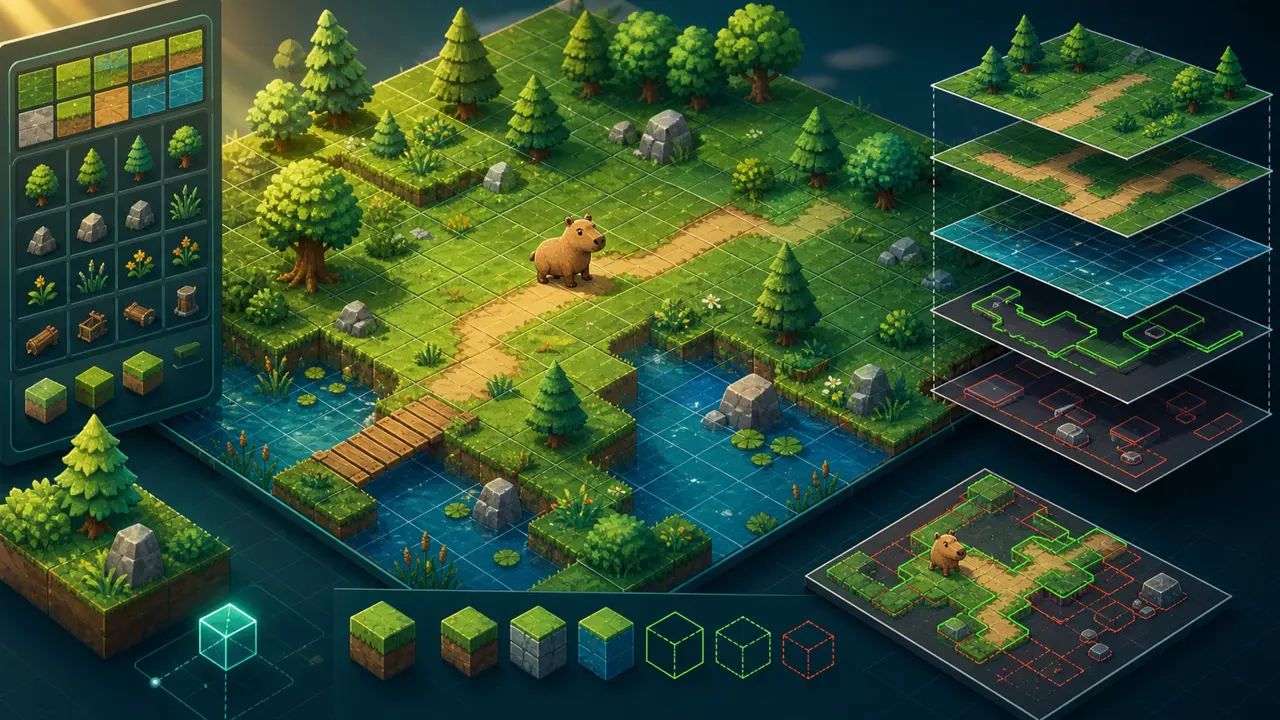
Tiled is a flexible map editor for arranging tiles and attaching structured data to a level. With flame_tiled, a Flame game can load that work directly.
1. Add the bridge package
flutter pub add flame_tiledPlace the TMX file and every referenced tileset image under an asset directory, then declare that directory in pubspec.yaml. Prefer relative paths so maps remain portable.
2. Organize the map in layers
- Ground: grass, paths, and water.
- Decoration: flowers and details with no gameplay effect.
- Above player: canopies or foreground pieces.
- Collision objects: rectangles or polygons that block movement.
- Spawn objects: named points for the player, enemies, and pickups.
3. Load the TMX map
class ForestWorld extends World {
  @override
  Future<void> onLoad() async {
    final map = await TiledComponent.load(
      'forest.tmx',
      Vector2.all(32),
    );
    add(map);
  }
}
The tile size passed to Flame should match the visual scale you expect. Confirm the map orientation and tileset dimensions before debugging positions.
4. Convert objects into game components
final collisions = map.tileMap.getLayer<ObjectGroup>('Collisions');
for (final object in collisions?.objects ?? []) {
  add(Wall(
    position: Vector2(object.x, object.y),
    size: Vector2(object.width, object.height),
  ));
}
Use layer and object names as a contract between design and code. If an object has custom properties, validate them and provide defaults rather than assuming every field exists.
5. Add spawn points and properties
A spawn object can carry properties such as enemy type, patrol distance, or facing direction. This lets a level designer tune content without recompiling rule code.
6. Test boundaries visually
Add a debug mode that draws collision shapes and object origins. Most map bugs are coordinate, scale, or layer-name mistakes, and a visible overlay reveals them immediately.
7. Optimize for mobile
Reuse tiles, keep oversized transparent images out of tilesets, split very large worlds when appropriate, and avoid expensive logic for distant objects. Test scrolling and memory on a real device.
Read the official Tiled manual for object layers and custom properties, and revisit our Flutter and Flame foundation when connecting the map to the rest of a game.